
Insights For Okanagan Teams
Campground Wi-Fi Design in the Okanagan: Best Practices for 2025
How to deliver reliable campground Wi-Fi across forested sites and waterfront RV pads in the Okanagan.
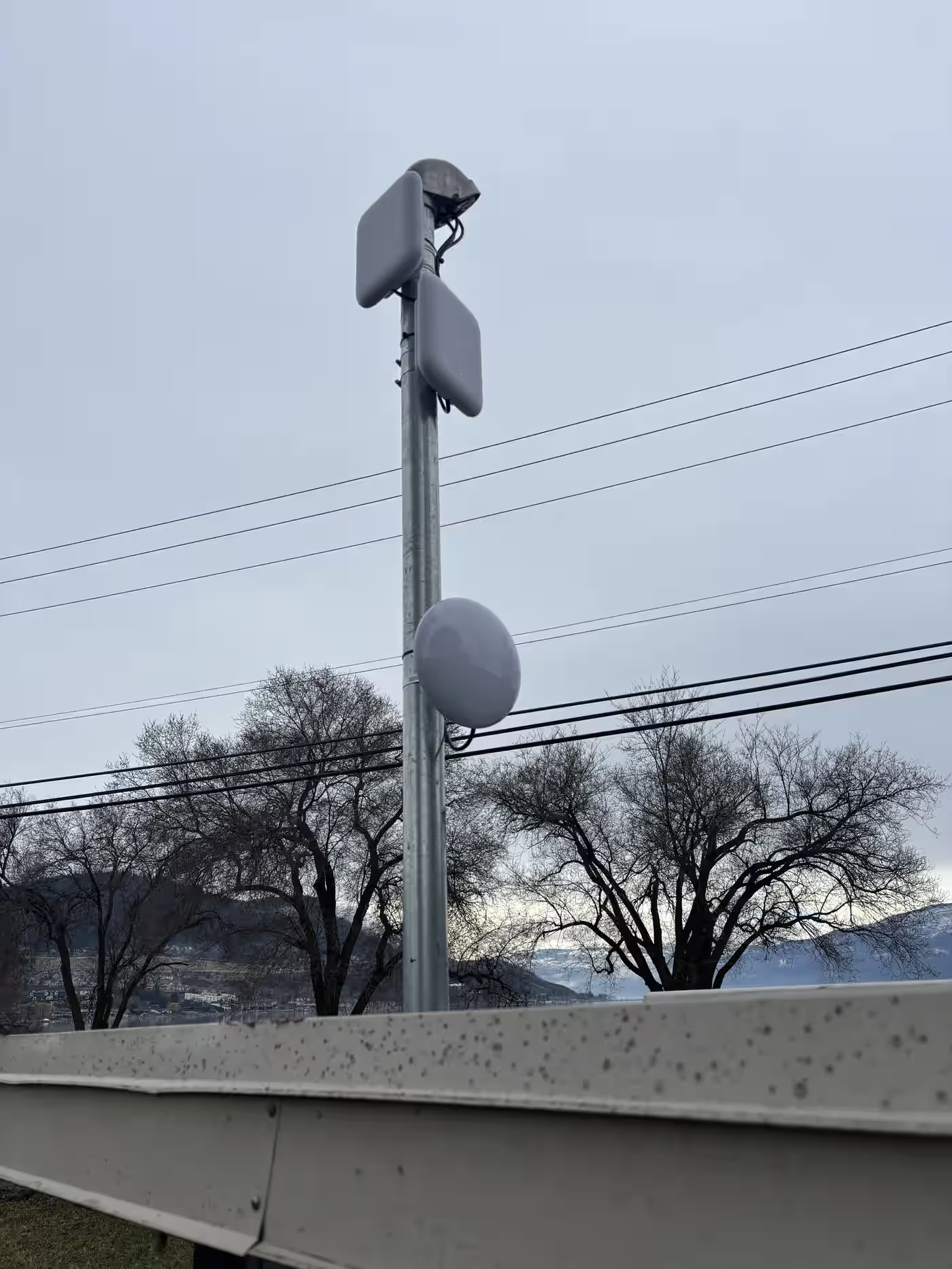
Campground reviews live and die by Wi-Fi comments. Whether you manage a lakeside RV resort in Peachland or a mountainside retreat near Fintry, guests expect streaming-grade Wi-Fi at every pad. Trees, elevation changes, and seasonal occupancy make that tricky. Here’s how we design Okanagan campground networks that survive July long-weekend load without overbuilding.
TL;DR
- Start with a heatmap and capacity model—coverage without throughput is a false win.
- Run fibre or shielded copper backbones to each zone; avoid daisy-chained repeaters.
- Mount outdoor APs where campers can’t touch them; keep omnidirectional antennas above RV height.
- Segment traffic with VLANs and captive portals; keep payment systems far away from guest traffic.
- Monitor with cloud controllers and design for quick swap-outs during wildfire smoke or holiday surges.
Map the site before trenching
We walk every campground with LiDAR-grade mapping or drone photos. Elevation impacts signal just as much as trees. From there we layer in:
- Density metrics: How many rigs per acre? Are there evergreen stands blocking line-of-sight?
- Construction materials: Metal-clad bath houses, shipping containers, or timber lodges each attenuate signal differently.
- Power availability: UPS-backed pedestals reduce generator noise and keep controllers alive during BC Hydro blips.
Predictive heatmaps show exactly where to mount poles, how many APs the site truly requires, and which zones demand fibre instead of copper. If you’re curious about the cabling trade-offs, check our guide on fiber vs. copper for Kelowna businesses for backbone considerations.
Backbone first: fibre plus weather-rated enclosures
Forest canopy and long runs call for fibre between distribution points. We typically install:
- Singlemode fibre trunks from the main comms room to each campground loop.
- NEMA-rated enclosures with managed PoE switches, fans, and desiccant packs.
- Grounding & surge suppression to absorb lightning hits common around Okanagan Lake.
Inside the enclosure we keep patch panels labelled for each AP and camera. Fibre splicing happens in our Kelowna shop, then we fusion splice on-site for rapid deployment. For short runs (<90 m) or scope-sensitive loops, shielded Cat6A with gel-filled outdoor jacket works, but plan for future fibre pulls.
Access points: directional where possible
Wide-open meadows benefit from omnidirectional antennas, but wooded sites demand smarter placement:
- Sector antennas focus signal down the main drive, reducing bleed into parking lots or nearby cabins.
- Panel antennas aimed at clusters of pads outperform a single omni trying to cover an entire loop.
- Mesh only as backup: Use mesh to bridge awkward corners, not as the primary design—it halves throughput.
Every AP mounts above RV rooflines to avoid aluminium skin shadowing. Stainless hardware, UV-resistant cable ties, and drip loops keep installs tidy through winter.
VLANs, QoS, and captive portal strategy
Segmentation protects your operations network. We configure controllers with:
- Guest VLANs with bandwidth caps per device so streaming doesn’t hog the pool.
- Operations VLANs for POS, VoIP, and surveillance—isolated with ACLs.
- IoT VLANs for smart lighting and door controllers.
- Captive portals branded with resort info, upsells, and emergency alerts.
Backhaul QoS ensures VoIP calls from the front desk or security cameras stay smooth even when 300 campers log on at sunset. Tie this into your office network design if the resort HQ shares the same core.
Power and environmental resilience
Outdoor switches and APs need conditioned power:
- UPS systems sized for 6–24 hours keep access gates and VoIP live during storms. Pair them with insights from our detailed guide on power backup sizing for PoE networks.
- LTE failover ensures reservation and POS systems keep transacting even if the fibre backhaul drops.
- Environmental monitoring for temperature and door sensors catches overheating enclosures before hardware fails.
Support workflows for seasonal staff
Campground staff turn over each season. We document processes so even first-year hires can reset the network safely:
- Runbooks detailing how to reboot switches, reseat fibre, and escalate to Simply Telecom.
- Controller dashboards with guest analytics, throttle controls, and site-mapping for troubleshooting complaints.
- Spare hardware kits labelled in the main office for rapid swap-outs.
We also offer “Wi-Fi first responder” training: a 60-minute onsite session that covers the essentials of RF, interference spotting, and basic CLI commands.
Marketing benefits
Guests rave about reliable Wi-Fi. Use it to:
- Offer premium speed packages for long-term stays.
- Display branded splash pages with upgrades (kayak rentals, wine tours, breakfast kits).
- Automate review requests after checkout, improving Google and Campendium rankings.
Reliable Wi-Fi also lets you deploy smart metering, security cameras, and self-check-in kiosks with confidence.
Future-proofing your campground network
Tourism growth in the Valley isn’t slowing. When planning 2025 upgrades, leave room for:
- Additional fibre pairs in every conduit run.
- Pole mounts with spare junction boxes and PoE capacity for future cameras.
- Wi-Fi 7-ready cabling (Cat6A minimum) and active controllers that support band steering across 2.4/5/6 GHz.
For waterfront resorts exploring spa facilities or hot springs, our companion playbook on Wi-Fi for hot springs resorts goes deeper into moisture and tile-heavy environments.
Project timeline checklist
- Discovery (Week 1): site walk, pole inventory, underground locates.
- Design: heatmaps, equipment list, permit prep, conduit planning.
- Build (Weeks 4–6): trenching, fibre pulls, switch commissioning.
- Go-live (Week 7): pilot loop activation, roaming tests, captive portal QA.
- Optimisation (Week 8): adjust power levels, update signage, train staff.
Final thoughts
Campground Wi-Fi is no longer optional. It’s a core utility that drives bookings, reviews, and onsite spending. Designing it right means thinking like both a network engineer and a hospitality pro. When you combine purpose-built infrastructure with a support plan, your guests stream, work remotely, and brag about your campground instead of venting on social media.
Want a campsite Wi-Fi heatmap?
Book a site review and we’ll plan poles, fibre runs, captive portal branding, and seasonal staffing workflows.
Next Steps For Kelowna Businesses
Ready for a business walkthrough? Let’s scope your telecom, internet, Wi-Fi, and cabling work with a local commercial team.