
Insights For Okanagan Teams
Designing a Fiber Backbone with VLANs and IGMP Proxy: Explained for Kelowna IT Teams
How to architect modern fibre backbones for multi-building sites in Kelowna, complete with VLAN design and IGMP proxy for multicast.
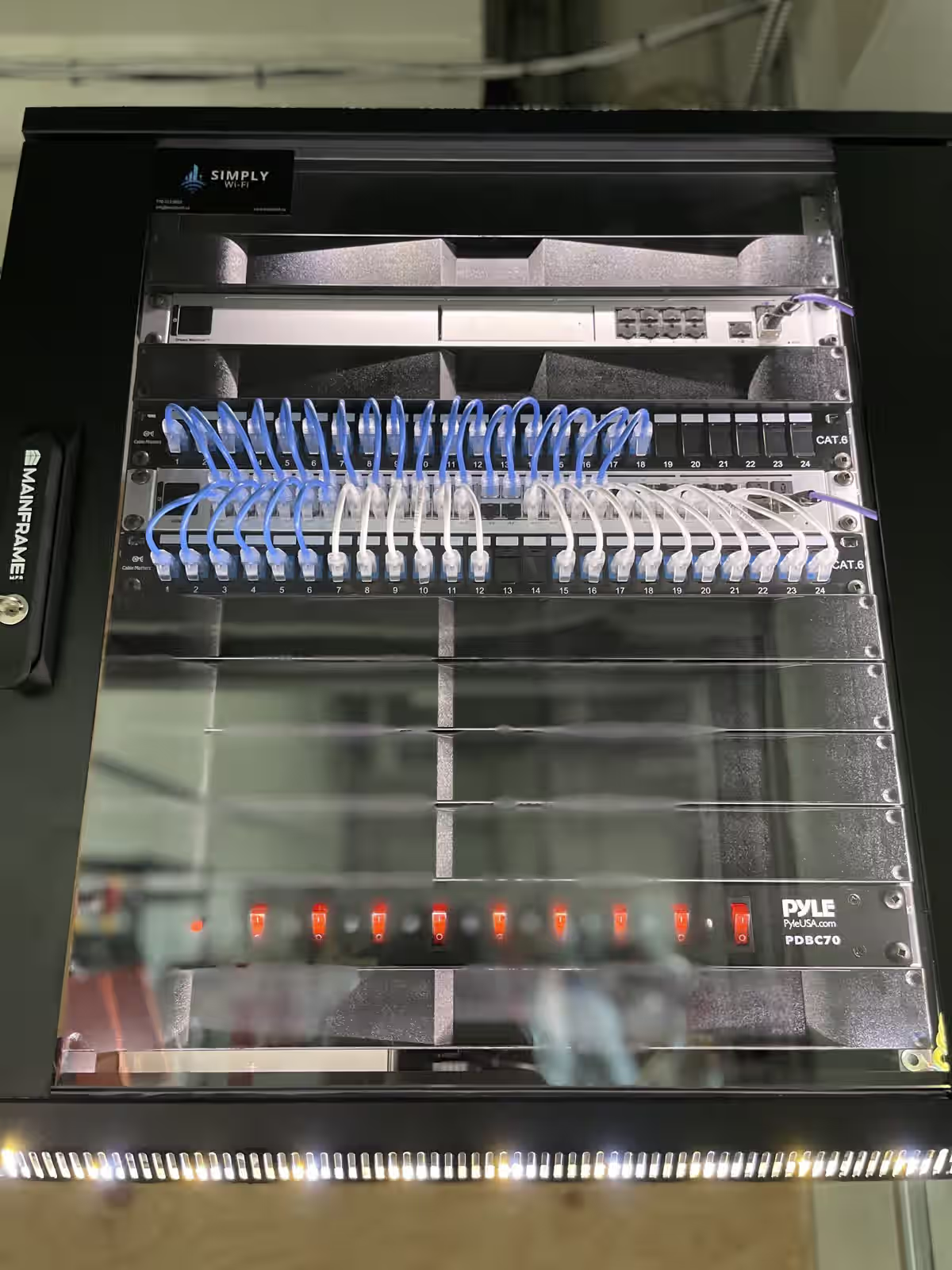
Multi-building campuses—from resort operations on Lakeshore Road to industrial parks in West Kelowna—need resilient backbone design. Fibre delivers the throughput, but the secret sauce is in VLAN strategy and multicast handling. Here’s a practical walkthrough we share with facilities managers and IT leads across the Okanagan.
TL;DR
- Pull singlemode fibre between buildings with enough strands for redundancy and growth.
- Terminate into managed switches that support Layer 3 routing, VRRP, and IGMP snooping/proxy.
- Segment traffic with VLANs for voice, data, security cameras, guest Wi-Fi, and building systems.
- Enable IGMP snooping on access switches and proxy on routers to keep multicast streams efficient.
- Document everything—port maps, SFP assignments, and failover procedures save hours during outages.
Backbone planning fundamentals
Choose the right fibre: We favour OS2 singlemode for inter-building runs. Pair it with 1.5" conduit and innerduct so you can pull new strands later. If you’re unsure whether to mix copper, revisit our primer on fibre vs. copper for Kelowna businesses.
Design for redundancy: Run at least two diverse paths where possible. For strata towers, we often dedicate separate risers, then converge in the main network room with redundant cores.
SFP selection: Use vendor-certified optics, match wavelengths and distances, and label each SFP/cable pair on both ends.
VLAN segmentation strategy
Create VLANs that map to business functions:
- Voice VLAN (20): Handsets, paging adapters, and SIP door phones.
- Data VLAN (30): Workstations, printers, and office endpoints.
- Video VLAN (40): CCTV cameras and NVRs.
- Guest Wi-Fi VLAN (50): Captive portal traffic with rate limits.
- Facilities VLAN (60): HVAC, lighting, building automation.
Layer 3 gateways live on your core switch or firewall. Use ACLs to restrict lateral movement while permitting necessary services (e.g., allow SIP from VLAN 20 to your hosted PBX, block guest VLANs from hitting management interfaces).
Multicast & IGMP made simple
Video surveillance, IPTV, and paging systems push multicast streams around the network. Without IGMP snooping, those streams flood every port.
- IGMP snooping on access switches listens for join/leave messages and forwards streams only where requested.
- IGMP querier keeps memberships alive if the upstream router doesn’t generate queries.
- IGMP proxy on the router (firewall or Layer 3 core) aggregates requests from each VLAN and forwards them to the upstream source.
In Kelowna resorts using IPTV for guest rooms, IGMP proxy prevents 100+ multicast streams from blasting across the entire network.
QoS and shaping
Backbone design isn’t just about separation—it’s about prioritisation. Apply DSCP markings:
- SIP signalling and RTP packets:
EF - CCTV streams:
CS4 - Management traffic:
CS2
Policers on the guest VLAN ensure streaming parties don’t starve VoIP. This plays hand-in-hand with the voice resilience strategies in our VoIP case study.
Sample topology for a three-building campus
- Core (Building A): Redundant switches with VRRP, fibre uplinks to buildings B and C.
- Distribution (Buildings B & C): Layer 3 capable switches handling local VLAN interfaces, with static routes or OSPF back to core.
- Access: PoE switches for desks, cameras, and wireless APs.
- Firewall: Dual WAN (primary fibre + coax backup) with SD-WAN or policy-based routing.
Document this layout in NetBox or a spreadsheet, noting SFP serial numbers, fibre strands used, and spare capacity.
Monitoring & management
- Syslog & SNMP: Centralise logs, set up thresholds for link flaps or optical power loss.
- NetFlow/sFlow: Visibility into traffic patterns, especially multicast volume.
- Configuration backups: Automate nightly exports to secure storage.
We deploy monitoring plus runbooks so on-call techs know exactly which strand to switch during an outage.
Integration with other systems
- VoIP: Voice VLAN ties into our Kelowna VoIP deployments with QoS tagging.
- Wi-Fi: Controller-based SSIDs map to VLANs, maintaining security between guest and staff networks.
- Security: CCTV VLAN keeps high-bitrate streams off user switches.
- Access control: Door controllers often need multicast for discovery—ensure they sit on the correct VLAN with IGMP snooping enabled.
Deployment checklist
- Pull fibre, test with OTDR, document dB loss.
- Label every termination with strand counts and VLAN mapping.
- Configure cores with VLANs, routing, DHCP (or relay), and ACLs.
- Enable IGMP snooping globally; set proxy on the routing interface.
- Stage failover test: simulate a fibre cut and confirm redundancy.
- Train staff on how to read SFP LEDs and monitor dashboards.
Common pitfalls
- Leaving IGMP disabled and flooding the network with multicast.
- Forgetting to cap guest VLAN bandwidth, leading to choppy VoIP or slow POS terminals.
- Running cameras on the same VLAN as workstations and exposing management interfaces.
- Skipping documentation, resulting in guesswork when someone needs to add a new building.
Final thoughts
A well-planned fibre backbone isn’t glamorous, but it powers everything from VoIP and Wi-Fi to cameras and BMS. When you pair VLAN discipline with IGMP proxy, your network stays efficient no matter how many buildings or devices you add.
Need help planning your fibre backbone?
We’ll map strands, design VLANs, configure IGMP, and document everything so your Kelowna campus stays resilient.
Next Steps For Kelowna Businesses
Ready for a business walkthrough? Let’s scope your telecom, internet, Wi-Fi, and cabling work with a local commercial team.