
Insights For Okanagan Teams
Case Study: Modernizing a Kelowna Clinic’s Phone System with VoIP.ms
A Kelowna medical clinic modernized its phone system with geo-redundant VoIP and local support.
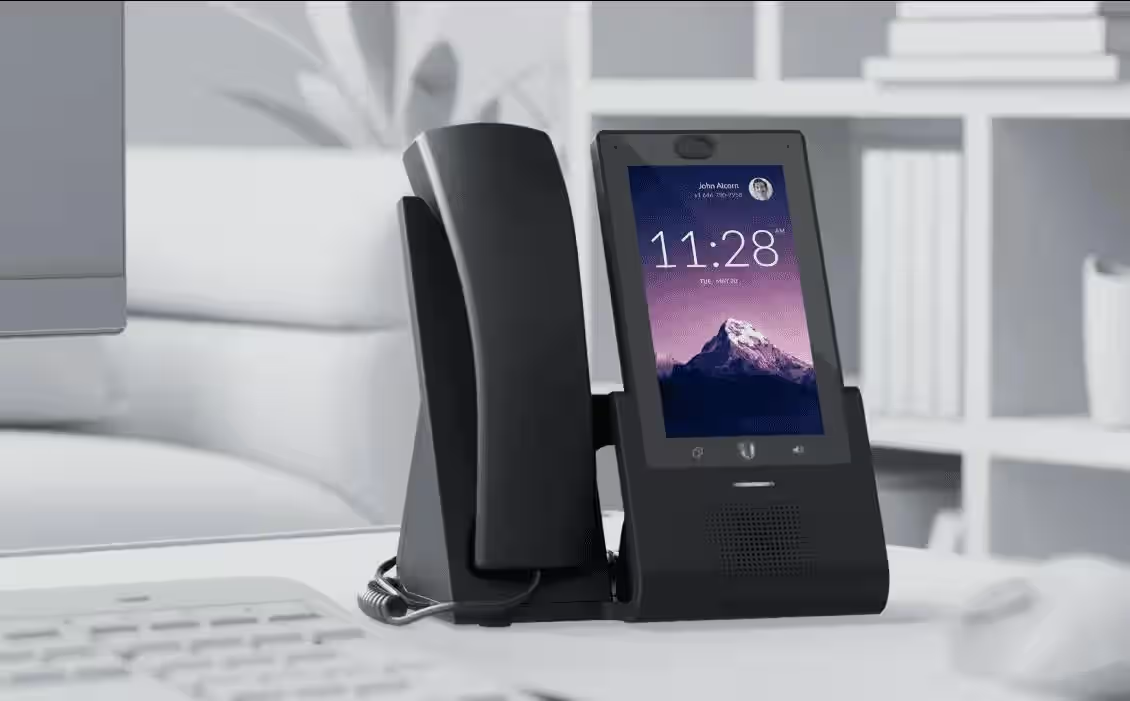
A multi-physician clinic on Harvey Avenue asked Simply Telecom to modernize a complex phone environment. They operated on legacy analog lines and fax numbers, juggling after-hours answering services and intercom paging. Support delays were growing and the system struggled to scale. Here’s how we staged a VoIP.ms migration that improved reliability and day-to-day workflows.
Challenge snapshot
- A multi-physician clinic with multiple departments and an urgent care wing.
- Analog lines feeding a legacy key system installed in 2010.
- Paging used overhead speakers connected through analog amplifiers.
- Internet: Business-grade fibre with an unmanaged switch stack.
- Reliability expectations: zero missed calls during business hours, redundant fax delivery, and bilingual phone tree.
Assessment & planning
We conducted a two-part discovery:
- Telecom inventory: Identified unused features, overlapping call paths, and outdated hardware.
- Network audit: Documented switch ports, VLAN capacity, PoE capacity, and ceiling speaker wiring. The audit flagged daisy-chained unmanaged switches causing jitter.
With those findings we recommended a move to VoIP.ms with geo-redundant POPs, layered onto a managed LAN using UniFi switches and VLAN segmentation. (See our broader look at VoIP planning for BC small businesses for how we stage these migrations.)
Design overview
- Core network: Installed a rack-mounted firewall with dual WAN (primary fibre + coax backup) and configured automatic failover.
- VLANs: Separated voice, data, and guest Wi-Fi, mirroring the best practices we outline in fiber backbone design with VLAN and IGMP.
- Handsets: Deployed Yealink T46U at physician desks, cordless handsets for triage rooms, and Polycom Trio for boardrooms.
- Paging: Integrated existing overhead speakers using a SIP paging adapter; scheduled automated closing chimes.
- Monitoring: Enabled MOS scoring alerts and nightly call-quality summaries.
Implementation timeline
| Week | Activities |
|---|---|
| 1 | Porting paperwork, BTN verification, equipment list finalised |
| 2 | Lab staging of all handsets; firmware updates; failover testing |
| 3 | Onsite network cutover, switch replacements, VLAN rollout |
| 4 | Parallel run (forwarded analog lines to VoIP auto-attendant) |
| 5 | Early morning number port; on-site support for first clinic day |
We staged the cutover early one morning, enabling the clinic to test call queues before patients arrived.
Outcomes
- Operational stability: Call routing, voicemail, and paging remained consistent through the cutover.
- Feature gains: Auto-attendant with English/French prompts, scheduled callbacks, voicemail-to-email, and Teams presence syncing for physicians.
- Resilience: LTE failover maintained dial tone during an afternoon fibre maintenance window.
- Analytics: Management now reviews missed call reports weekly, adjusting staffing where spikes occur.
Lessons learned
- Train staff early: We trained reception and triage teams a week before cutover, reducing go-live nerves.
- Fax modernisation: Transitioned legacy fax to email with secure PDF delivery to inboxes; the clinic retired two physical fax machines.
- Label everything: Colour-coded patch panels and wall plates prevented plug confusion when plugging in new phones.
- Monitor after day one: We kept dashboards open for the first week, tweaking QoS policies during lunch rush when guest Wi-Fi usage spikes.
Next enhancements
The clinic plans to add:
- Nurse call integrations tied to SIP paging.
- Patient reminder automation via the VoIP.ms API.
- West Kelowna satellite office linked to the same hosted PBX.
Plan a VoIP migration
Book a discovery call. We’ll audit your current setup, map your LAN, and stage a VoIP.ms or hosted PBX migration without downtime.
Takeaways for Kelowna medical and professional offices
- Audit your call flows and escalation ownership yearly to keep responsibilities clear.
- Stage networks with VLANs, QoS, and LTE failover before swapping phones.
- Choose handsets per role: reception, triage, admin, boardroom.
- Document your call flows so staff know who owns each queue.
- Treat VoIP as part of a broader network modernisation that also benefits Wi-Fi and surveillance cameras.
Next Steps For Kelowna Businesses
Ready for a business walkthrough? Let’s scope your telecom, internet, Wi-Fi, and cabling work with a local commercial team.